How to Calibrate
What is Sensor Calibration?
Sensor calibration helps your smart ring recognize your body more accurately.
Since everyone’s finger size, body temperature, and wearing habits differ, it’s best to calibrate the sensors before use.
Once the ring learns your personal baseline, it can measure sleep, activity, and more with higher accuracy.
When to Calibrate
- When sleep, steps, or heart rate aren’t being measured
- When measurements stop or become irregular
- When results look different from your usual data
- When activity is recorded even while you weren’t wearing the ring
Calibrating your sensors resets the measurement baseline and resolves most common issues.
How to Calibrate
- Go to [My Page > Smart Ring Settings > Sensor Calibration].
- Follow the on-screen instructions to start calibration.
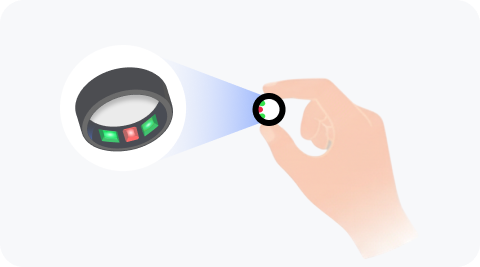
- Wait at least 5 seconds until the sensor light turns off. The light may flash brightly during this time — avoid looking at it directly.
- After calibration, wear the ring as usual for a day or two to check that the data aligns correctly. Recalibrate if needed.
Calibrate your sensors to get more accurate and truly personalized health data!