How to Charge
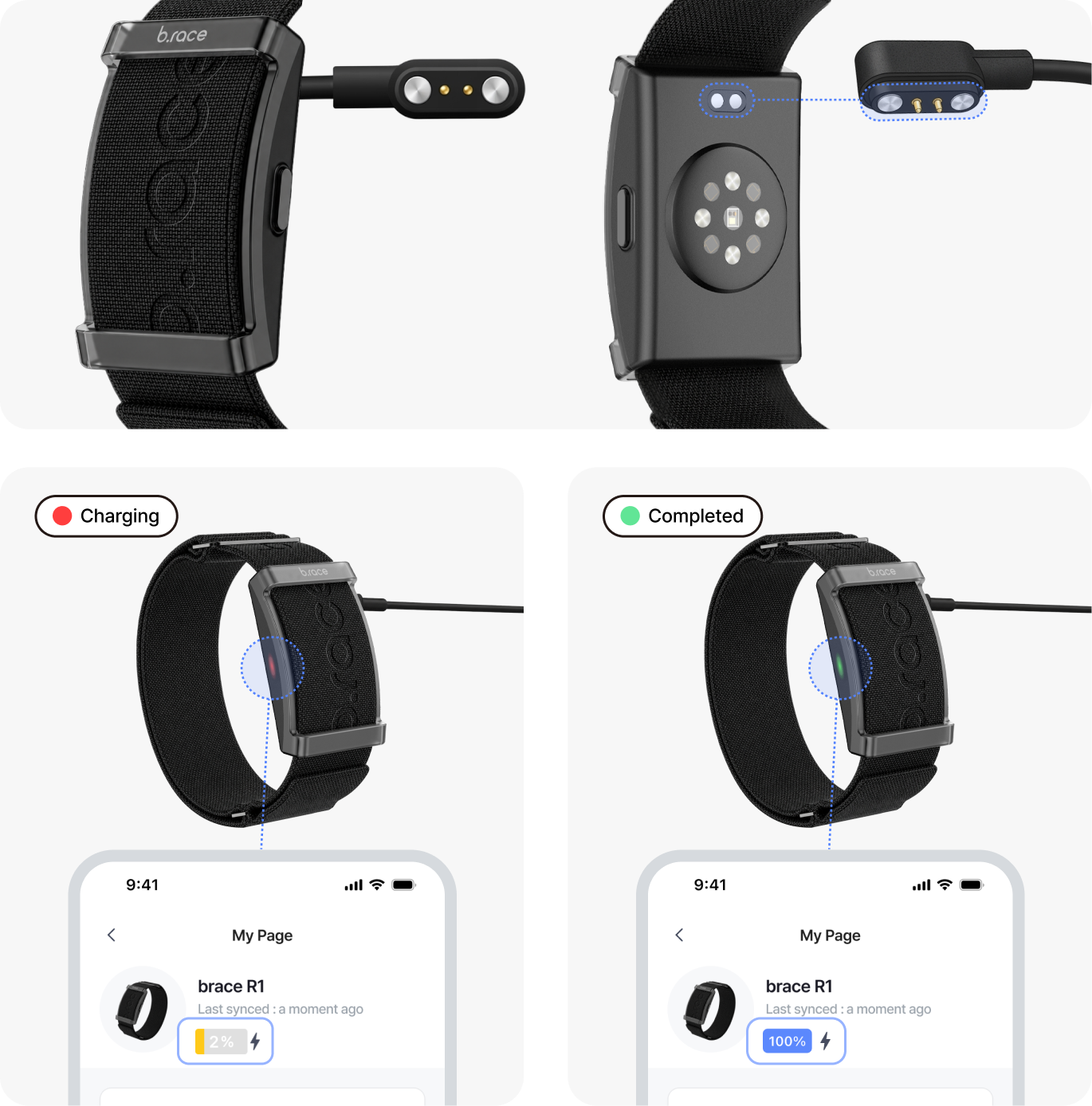
1. Connect the charging cable to a charger or your PC’s USB port.
2. Attach the cable to the charging contacts on the back of the band.
When the orientation is correct, the magnet will snap into place. If it does not attach, turn the band around and try again.
3. When charging starts, a red light will turn on. Charge it until the green light appears, indicating it’s fully charged.
Please Note
- Using a fast charger may cause overheating or damage due to excessive current. We recommend charging via a laptop or using a 15W low-power charger.
- If it doesn’t charge, try again after a short while. If it still doesn’t charge, try again the next day.
- If there is moisture or any foreign substance on the band’s charging contacts, please wipe it clean before charging.
- If the band is not used for a long time, the battery may discharge and its performance may decline. Please charge it about once a month.