Light Guide
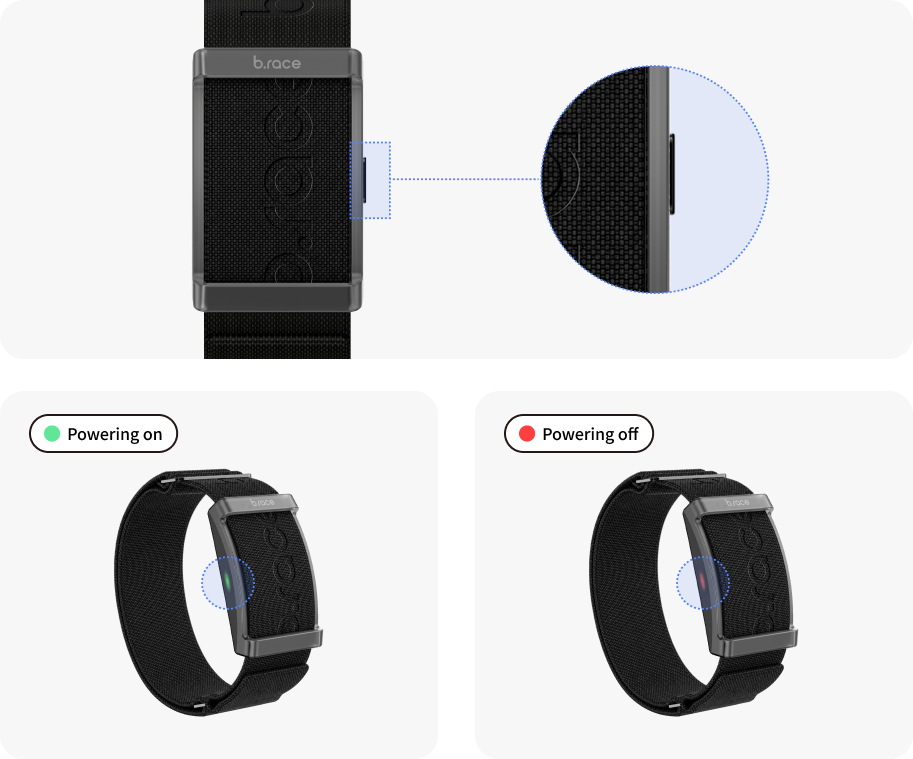
How to use the button
- Press and hold for 3 seconds to turn the band on or off.
A green light appears when it turns on, and a red light when it turns off. - Press briefly to check the app connection status.
A green light means it’s connected, and a red light means it’s not connected. - Press the button to stop the vibration when a notification goes off.
- If no light appears when you press the button, the band may be turned off or the battery may be fully drained.
Light guide
If a light comes on without pressing the button, check the status below.
| Light | Status |
|---|---|
| Green light | Charging complete |
| Red light | Low battery Charging |