Learn about the Friends feature
Friends feature
- Even without a ring, anyone with the b.ring app can receive an invitation and become your friend.
- Once you’re friends, you can use b.ring Care (real-time data sharing) to manage your health together.
- More features you can use with friends will be added in the future.
How to add Friends
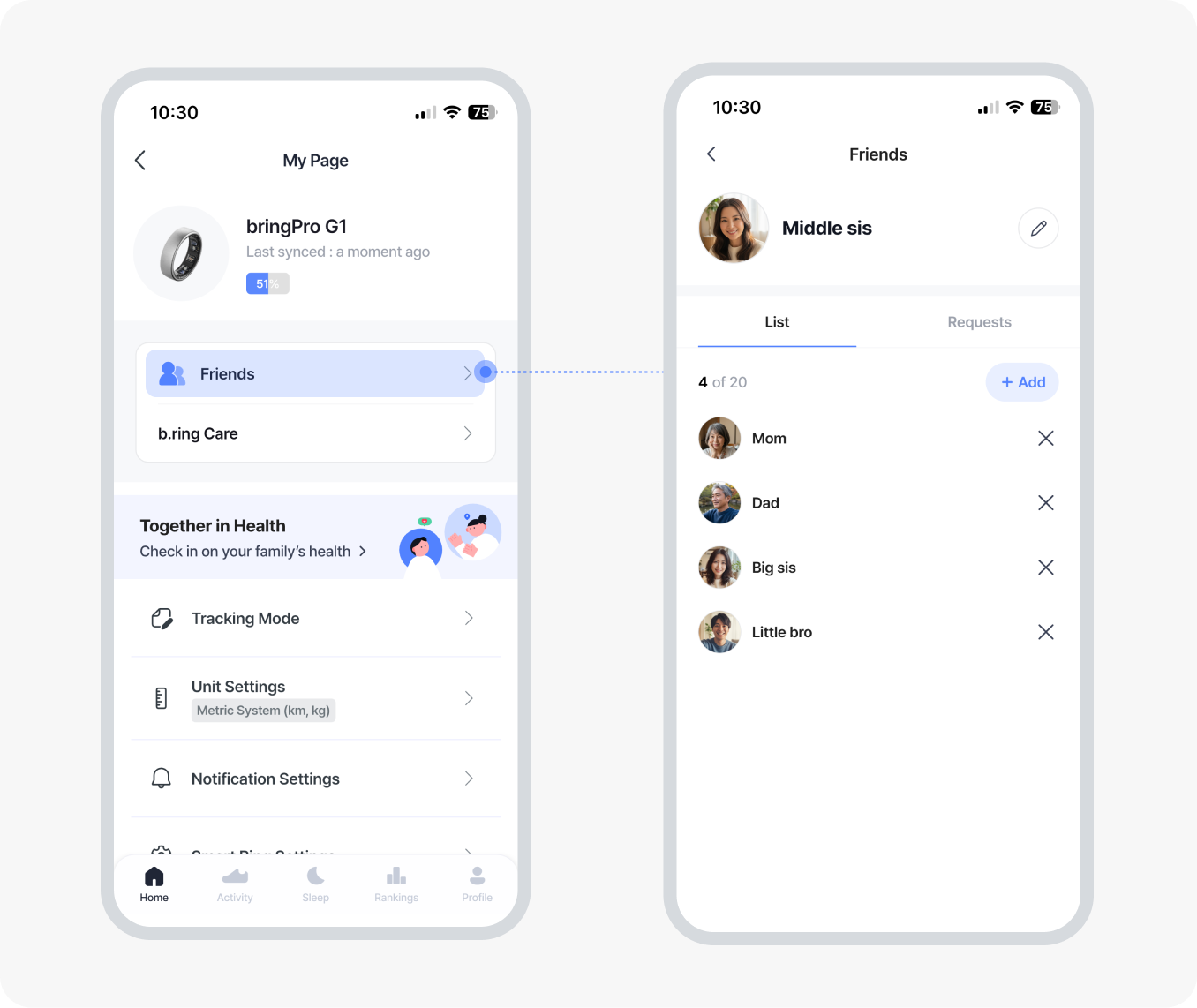
- Go to [My Page > Friends].
- Tap [Add Friend] and send a message to the person you want to add.
- The recipient can check the request in [Requests].
* If they don’t have the app, they’ll be guided to install it. - Once the request is accepted, you become friends.
Learn about b.ring Care
b.ring Care Beta
- b.ring Care allows you to monitor your friend’s health data in real time within the b.ring app.
- b.ring Care is available only between connected friends.
- You can choose to send data, receive data, or share both ways.

How to use b.ring Care
Viewer (Person receiving data)
- Go to [My Page > b.ring Care].
- Tap [Request to Sharing] and choose a friend to send the request.
- Once your friend accepts, their health data will begin sharing immediately.

Sharer (Person providing data)
- When you accept a [Sharing Request], your health data will be shared automatically.
You can choose which items to share—such as sleep, activity, or heart rate—and change or stop sharing any time.

b.ring Care Beta Notice
During the Beta period, you can share your data with 1 friend and receive data from 1 friend only.
When the Beta phase ends, supported people, viewing periods, and other functions may change or expand.
FAQ
Q. Can I share my health data first, even if my friend doesn’t send a request?
Currently, you can share your health data only after your friend sends a [Sharing Request].
A feature that allows you to share your health data first may be added in the official release.
Q. Can I receive notifications related to b.ring Care?
Not during the Beta period. Notification support may be added in the official release.
Q. My friend’s data isn’t showing.
Depending on your friend’s status, certain data may not appear.
- If your friend hasn’t synced their ring, the data won’t be updated.
- Shared data depends on the ring model used. Items that the device cannot measure cannot be shared.
Please Note
- Shared data is for viewing purposes only and must not be shared with third parties.
- It is for reference only and cannot be used for medical diagnosis or treatment.